
Historical Visual Novel Tools
I maintained this page in 2009-2013. It's now heavily outdated but still kept around for historical reasons. All code and other materials here are released in public domain.All tools are provided “as is” without any warranty.
Nevertheless, you can use both the tools and the source codes as you wish. Just remember to mention my nickname and homepage somewhere if some tool has helped you :)
I'd like to thank Shijima for providing me with hosting back in snowy winter of 2008/2009. Sadly, that website is no more but I still remember your favour :)
Last update (ArcTool) was on Monday 22nd of April 2013. And then on 1.02.2021, as per someone's request.

Important note about translating texts in files produced with these tools
Some people that were using my tools found that they sometimes skipped translated texts. That could happen because of the wrong line format. Any line should have both original and translated texts. For example, for Wanko to Lily extractor, a translated line might look like:<11FBF8> 直後、落ち着きなく辺りを見回し始めた。=Immediately after this she started to look around restlessly.
Not just:
<11FBF8>Immediately after this she started to look around restlessly.
MD5 Tool
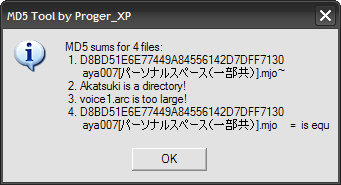
This tool has nothing to do with VNs but it's rather useful since it computes and compares MD5 hashes for files passed as its parameters. I use it from “Send to” Explorer's context menu (%HOMEPATH%\SendTo).
Updated 22.02.2010: full Unicode support, a few extra checks like skipping directories and too large files (current limit is 50 MiB per one file).
Download MD5Tool with sources
Encodings reconvertor
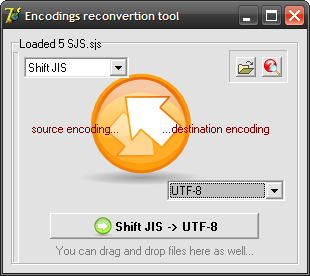
This small program can help you batch-reconvert text files from one encoding to another. Currently supported encodings are:
- EUC;
- JIS;
- Nec JIS;
- Old JIS;
- Shift JIS;
- Unicode;
- Reversed Unicode (Motorola byte order);
- UTF-7;
- UTF-8.
It is also capable of autodetecting encoding used in a text file (very basic).
The tool uses ported to Delphi JWPce's reconvertion module (jwp_jisc.cpp).
Download Encodings reconvertion tool
ArcTool
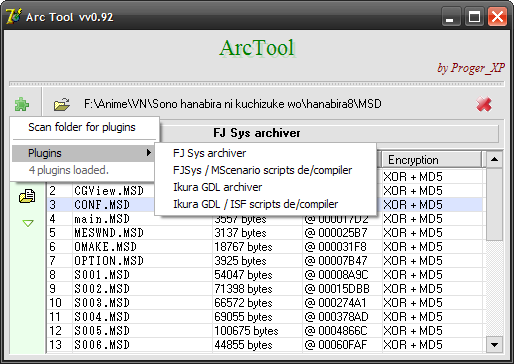
This program is my attempt (now abandoned -_-') to create a plugin-based Delphi tool dedicated to Visual Novel translations, hacking and so on. The version I'm posting here is alpha, with bad interface, some bugs (although I wasn't reported any critical ones) and is overall not very convenient thing to use in its current state.
However, this version was not originally intended to be public and used in real world so we can forgive some limitations of it (yes, yes, it was to be TEMPORARY!).
Anyway, it can do the job.
This tool currently supports:
-
Sono Hanabira games (FJSys | MSD):
- extracting/updating archives;
- extrating/importing scripts (texts).
- supports over a dozen of games from the Sono Hanabira series.
-
Crescendo, Yume Hako (Ikura GDL | ISF):
- extracting/updating archives;
- extrating/importing scripts (texts).
- open an archive with scripts.
-
either decompile all scripts (using
 button) or decompile one script by right-clicking on its name and choosing Decompile this…
- translate just exported texts.
- compile it back. Here you'll need to do that one-by-one by right-clicking on a script file name and choosing Compile this…
- fixed Hanabira 1's encryption key of MSD ;
- support for Hanabira 4 heart symbol;
- ability to change scene titles (if exists, it'll be the first line in the decompiled script starting with >>).
Updated 21.03.2011: better support for more recent (3rd and later) Hanabira games including support for heart symbol and somewhat better text wrapping.
Updated 17.07.2011: thanks to feedback from AXYPB (as always) two glitches are fixed: successive heart symbols are extracted/inserted properly and colon in translation lines no more cuts preceding text.
Updated 21.01.2012: once again thanks to feedback from AXYPB added support for 3 new Hanabira games: Lily Platinum and two German versions (I'm unsure which numbers they have).
Updated 01.02.2021: added support for 6 more Hanabira games: Anata ni Chikau Ai, Deatta Koro no Omoide ni, New Gen, Yuririn, Revolution – Rinagisa, Michael no Otome-tachi. Also, hex key entry was fixed. Super ninja style, huh?
ArcTool has been obsolete and discontinued …but those interested in support for new (10+) Sono Hanabira games should contact AXYPB as he might have found someone to make a new tool for this series. (Update 2021: AXYPB seems to be MIA.)
Download ArcTool
Note: I only included plugins' sources because ArcTool is a huge project with many dependencies, even if it can't be seen from the user's side. Thus, you won't be able to compile plugins but at least you can see the logics.
OSTealer
This is a tool created to extract files from VNs' game archives, mainly music tracks. Currently supported games and formats are:- Files without extension with names like WMSC, BGM, ISF… Games that use this format include Crescendo, Snow Sakura, Raidy I & II.
- Hanabira (no extension). Its format is very much like previous and file names include BGM and MSD. I've made ArcTool to manipulate MSD (scenario).
- MajiroArc v.1 (.arc). Katahane uses this format. Haeleth has made tools for operating on it, however, it cannot handle scenarios right so I've made my own tools (you can find it below).
- KiriKiri (.xp3). This is quite a popular format.
- Another .arc. This is not the same as Majiro's. Yume Miru Kusuri is the only game which I'm aware of that uses this. This format confusingly uses just 0x01000000 for the signature.
- Yin Yang's wrapper for OGG (.eog). This is just OGG with prefixed with extra 8 bytes for some unknown purpose.
- ERISA's NOA pack (.noa). This is an open format. More about it here. You can convert MIO to WAV using the mio2wav tool contributed by weak sauce.
- Biniku no Kaori (yet another .arc). Simple format with WAVs (for music) inside.
Download OSTealer with sources
Bitmap Breaker
 ➯
➯ 
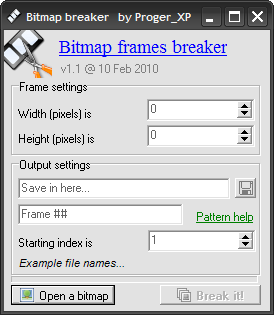
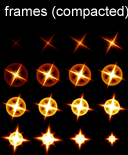
This small program splits one bitmap into many frames. Sometimes an animation is exported as a series of frames, all in one file, and you want to make an animated GIF or something but you need a series of files… this tool helps you do exactly that.
Updated 10.02.2010: fixed a few bugs and added a feature to split images not only by X axis but by Y axis as well.
Download Bitmap Breaker with sources
Ikura GDL / Crescendo
This was my first experience in hacking VN so expect some garbage here. I had tried various things from WinAPI-hooking to properly replacing the scenario. I'm posting it here in case someone finds it useful. I don't remember what is working here and what is not though :) Note, however, that Crescendo is already localized in English and, by some occasion, even in Russian (sadly, not the Full Voice version…).Short overview of the archive's contents:
- bindiff – a binary difference searcher, very simple but quite useful sometimes.
- isf, isfbuilder, isfcomp – these are tools for manipulating with ISF / scripts. You can find some description of them in the launcher.
- launcher – a program that provides GUI for previous console tools.
- tools.dpr, … – I used this for doing miscellaneous things with ISF.
- flytrans – this was my first try – an API hooker. it's working though :) and may serve as useful example in hooking Win32 API.
These tools are bogus and obsolete …but a new version is available. See the ArcTool section.
Ikura GDL ISF scenario coder
The usual encryption algorithm for Ikura GDL's ISF scripts is bit-swapping like: Byte >> 6 | Byte << 2.However, there are some games that additionally use another crypting algorithm, utilizing XOR and some XOR-keys-table calculations.
One of the games that use such coding is Gimai Hitomi.
This tool is able to convert ISFs between these 3 states, namely:
- e – standard Ikura GDL bit-swapping encryption (Byte >> 6 | Byte << 2);
- d – decrypt bit-swapping (Byte << 6 | Byte >> 2);
- x – apply XOR encryption. Since it's symmetric there's no decryption operation for this.
Download ISF CoDec with sources
CSX line merger
This tool has been contributed by Xilexio. It takes two groups of UTF files produced by the CSX tool: originally extracted ones and English ones. Each one is supposed to be empty after \= in each line. It takes the number of files you told it about and merges them into this format: JP \= ENIt's written in bash and works under Linux and Windows with mingw, but the latter is really slow (though, still “waitable”).
Download CSX merger
Alternatively, you can use my online script.
CSX tool by Xilexio
Has been confirmed to work on Yosuga no Sora and Haruka na Sora.Major changes compared to my old CSX tool:
- rewritten in C++
- much faster
- names are now exported and translateable
- new lines character (wide slash) now visible as normal new line
- custom word wrapping (used constant line width of 29 Japanese characters or 54 half-width characters like ASCII)
- changed file format to one that has names, is easier to edit in regular Notepad and has space for TL notes (a “TL note” is everything but stuff starting with [EN):
Xilexio can help with extending this tool for other games based on CSX. He promised to make this work for Haruka na Sora later (or maybe it works already).
Download CSX by Xilexio with sources
See also csx_notes.txt there with some new info about the CSX file format.
CSX extractor/importer
Games include Wanko to Lily (ワンコとリリー), Garden and Yosuga no Sora (ヨスガノソラ).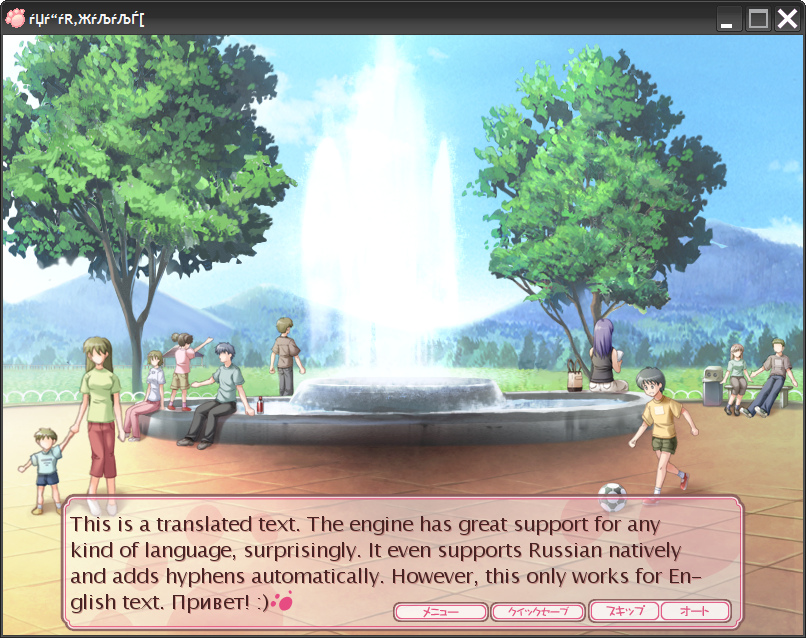
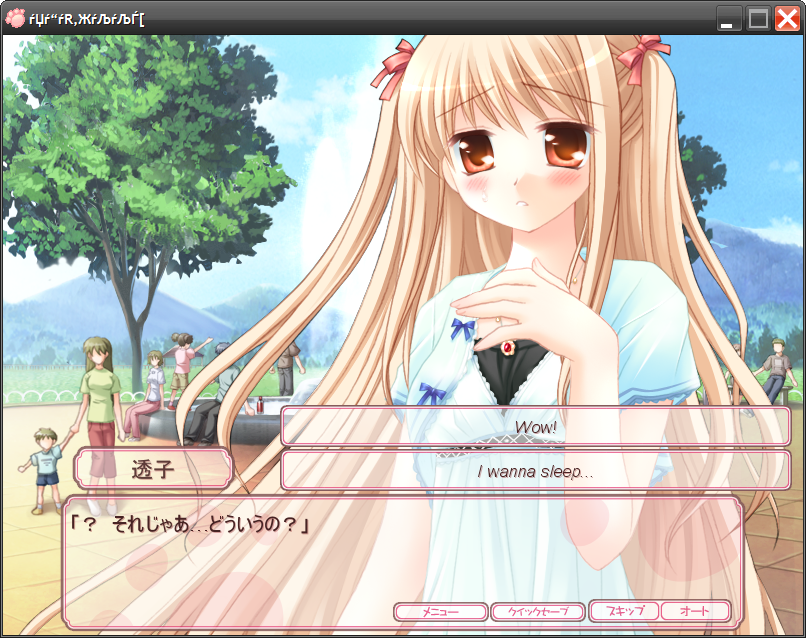
This is a set of tools to carry out translations of games using Entis scriting engine, like Wanko to Lily.
- CSX text extractor/compiler (CSX\) – this tool updates game texts.
- Translation hook (hook\) – disables in-game word wrapping. Surprisingly, the engine will correctly rewrap non-Japanese text and even hyphenate it automatically (see the screenshot). Use it when launching a translated game.
It will copy the original .csx after successful extraction, which it will then use in import process.
The engine itself is Unicode which makes translating its texts quite simple. This engine seems to be used with games that use Entis resources (eri for images, mio for sound, etc.). For example, the same tool with minor modifications (changing script function names) can be used to translate Lucky Cosplay.
eri <-> bmp convertor and other useful tools can be found on the Entis site.
Some raw CSX scripting notes are included with the CSX tool. The format is described in plain human words here (in Russian).
Note that the translation hook will probably only work with Wanko to Lily.
Updated 22.08.2009: fixed a bug with some editors in CSX.exe and made a few small modifications to the hook sources (exe & dll). You'll need to re-export game texts in order for them to be usable with this tool.
Updated 18.02.2010: fixed a critical bug which made games crash near branches. You are highly advised to update your version. I didn't change format of the exported scripts (*.utf) so this should be very easy.
Updated 28.04.2010: fixed a bug causing games crash in Recall mode. Made csx.exe much faster overall. Also fixed Wanko to Lily's hook to correctly wrap lines.
Updated 26.06.2011: previously uploaded CSX.exe was corrupted** (crashing on whatever action you'd do).
The only thing you need to do to update your state before importing scripts is this (suppose you have yosuga.csx):
- put csx.exe into the folder with yosuga.csx and yosuga_original.csx (which was created after exporting the script by csx.exe).
- execute this command in the command line: csx.exe yosuga_original.csx makejumpindex yosuga.csx
- after a minute or so it should create a file with CJI extension, in this example it will be yosuga.cji.
- now you can re-import your old scripts and it should work.
Thanks to 特工JACK for constantly reporting bugs to me.
The translation hook must be placed in the same directory with wanko.exe (along with translation.dll). The CSX tool can be used from any directory of course.
ERISA Compressor
AFAIK, every game powered by the Entis engine has a special EXE resource (RC_DATA) named IDR_COTOMI which contains startup information (in XML format) for the engine, including location of archives and the game's window title. This resource is compressed.To change the game window title you need to decompress it and compress it back. Extracting a resource from and inserting it back into an EXE is not a problem – there are programs like PE Explorer which do this.
However, since the compression algorithm is itself non-standard there are no archivers that can handle it.
This is exactly what this program does. It uses the most recent version of ERISA library – v1.07e (although it hasn't changed for years).
It has simple command line options. For the most part you'll just need these two commands:
- ericomp d IDR_COTOMI – to decompress a resource;
- ericomp IDR_COTOMI.out – to compress an edited XML before re-inserting it into the game's EXE.
Download ERISA Compressor
The Cotomi Decompressor
This section is left for the historical record. For the real working de/compressor see ERISA Compressor.Entis game engine is known for its own formats for pictures (ERI), archives (NOA), audio (MIO) and so on. However, it also has its own compression algorithm. I called this algorithm Cotomi, for the reasons you'll see below.
AFAIK, every game powered by the Entis engine has a special EXE resource (RC_DATA) named IDR_COTOMI which contains startup information (in XML format) for the engine, including location of archives and the game's window title. This resource is compressed.
For example, this is the XML extracted from Yosuga no Sora:
In a nutshell, the compression is a hybrid of PPM and LZ methods. Much more detailed info can be found in The Cotomi compression algorithm.doc in this archive.
I attempted to reverse the original algorithm and make a de/compressor in Delphi and actually succeeded in writing a decompressor but couldn't come up with the compressor.
I felt that for it to be able to compress just a dozen of lines of code were needed to be added but I couldn't figure it out, maybe because of my lack of knowledge about compression methods in general.
Now that there's a real de/compressor of mine written in C++ (above) this tool is only left for a historical record and for the curious minds.
Download The Cotomi Decompressor with sources
MIO to WAV convertor
This tool was contributed by someone called weak sauce who sent it to me a few days before the New Year of 2010/11.He said it's yet in alpha state but at least it worked for tracks in Yosuga no Sora.
He didn't attach the sources so only the tool is available here.
Usage: mioConv <mio_file> <output_wav>
Download MIO to WAV convertor
MajiroArc v1 and v2 tools
Games include Katahane (カタハネ, v1), Aoi Shiro and Akatsuki no Goei (v2).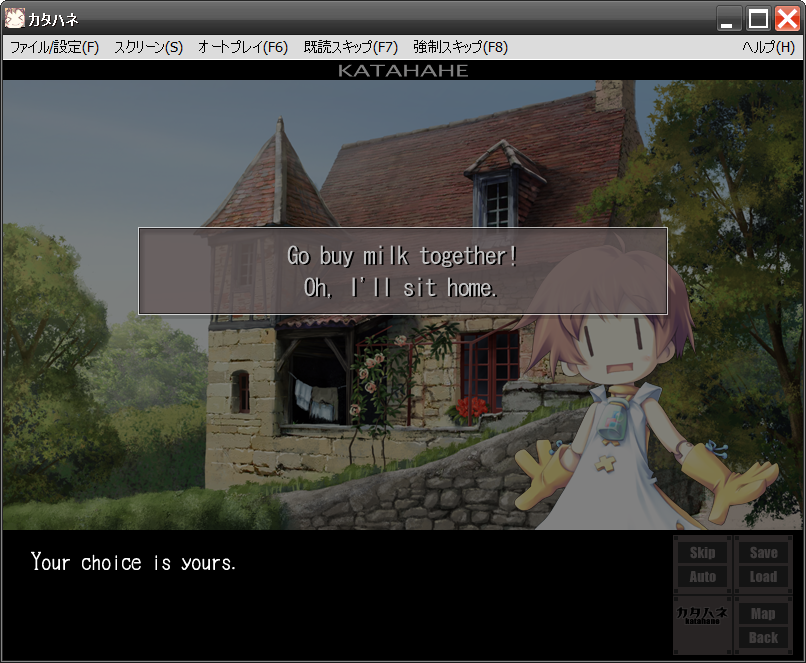
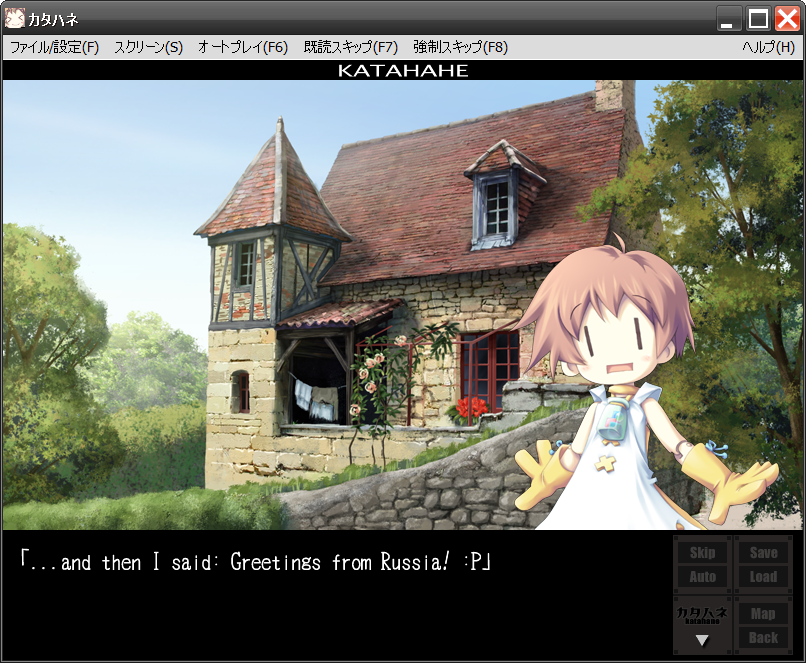
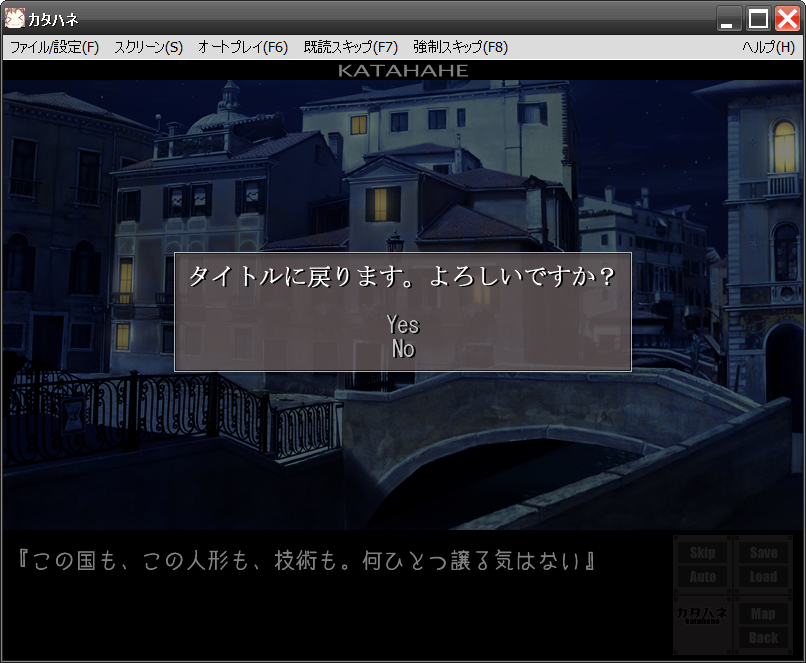
There are two tools on the Internet that I'm aware of that are supposed to extract/replace scenarios from this type of archives. However, as we found out, they do not usually do that.
Updated 22.02.2010: the tool has been rewritten from scratch. Previous tools had a few bugs so it's highly recommended to use this one, especially since it's much more reliable and convenient to use.
Updated 1.07.2010: fixed a bug that caused operations on Majiro archives v1 to fail with “Stream read error”. Also added ability to insert line breaks using either "|" or "\n" (similar to the way Haeleth's mjdev tools work). Line breaking is described in the end of Basic help.
Updated 19.07.2010: fixed crashing on some branches by adding more jump opcodes. Special thanks for Haeleth's open source mjdev toolkit – it saved me a great deal of time looking for the opcodes.
Updated 14.10.2010: word wrapping fix: non-Latin chars in translation lines are treated as fullwidth while Latin – as half-width. Thanks to I failed jp30 from the Katahane TL project.
A few release notes:
- full Unicode support;
- text wrapping is not implemented yet but is planned to be some day.
If you have translation files (*.utf) that used an older version of this program make sure that you have run the jig task before using new version to regenerate the index. Or simply delete all *.jix files, the tool will tell you what to do when you attempt to import your texts next time.
Thanks go for the team translating Akatsuki no Goei here. for enduring the wait and beta-testing the new version ;)
Download new Majiro tool with sources
If you were using old Majiro tools
The exported texts format of my old tools (extension sjs) is compatible with this new tool. You only need to do one thing: convert those files from the Shift JIS encoding into UTF-8. This can be done using virtually any text editor. For example, JWPce is capable for saving a file both in Shift JIS and UTF-8 encodings.If your text editor doesn't have this feature you can use my Encodings Reconvertor tool which can be found on this page.
Sono Hanabira ni Kuchizuke wo
Also known as “FJSYS”.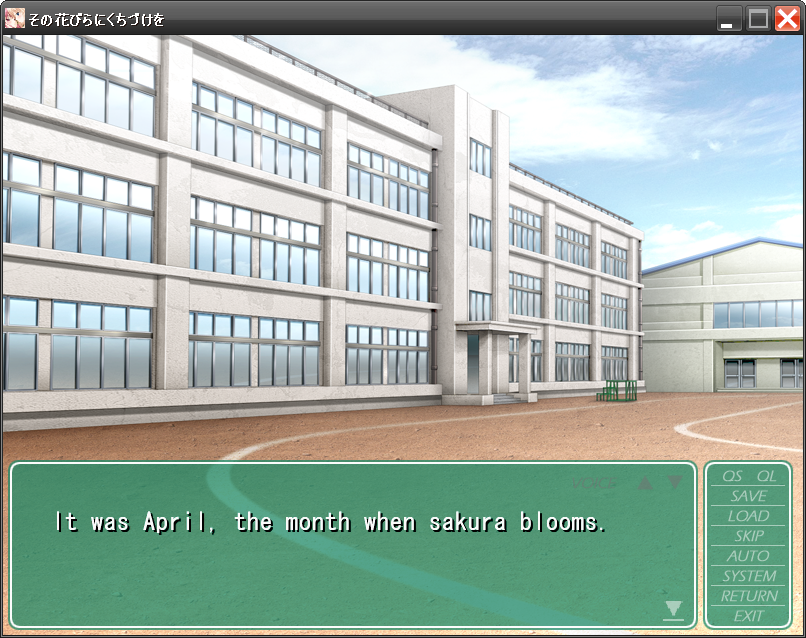
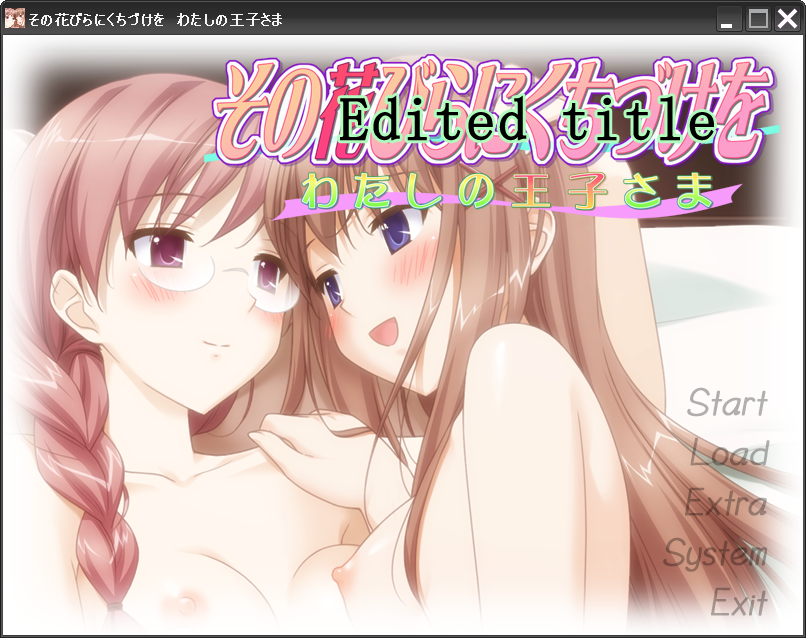
Tools for manipulating MSD pack/scripts of the Sono Hanabira ni Kuchizuke wo games.
- msd_1, msd_2, msd_3 – archivers (although they're acalled “msd” they can be used to extract any kind of Hanabira archive, like BGM, MSD, MGD, VOICE, etc.);
- msdcomp – extracts/updates scenario texts;
- mgd2png – Hanabira's MGD <-> PNG convertor.
Other Hanabira games (2nd, 3rd, 5th, 7th, etc.) are being translated by a small (yet powerful :P) team at this place.
Updated 22.09.2009: added more Hanabira versions support:
- 1 = Sono Hanabira ni Kuchiduke wo (その花びらにくちづけを),
- 2 = Sono Hanabira ni Kuchiduke wo ・ Watashi no Ouji-sama (わたしの王子さま),
- 3 = Sono Hanabira ni Kuchizuke wo ・ Anata wo Sukina Shiawase (好きな幸せ).
Updated 23.09.2009: fixed a bug in msdcomp and added a tool to convert MGD <-> PNG. Thanks Kamyu Aaru for writing to me. Also changed msg_* tools so now they can be used to extract/update files inside any archive (not just MSD). So you can extract a graphic from MGD, use mgd2png to convert it into PNG, edit it, convert it back and insert it in MGD. (Or you can of course use them to rip the CGs :))
Download with sources
These tools are bogus and obsolete …but a new version is available. See the ArcTool section.
Sono Hanabira ni Kuchizuke wo – Linux Wine fix
This tool was contributed by another programmer. Due to a Wine bug (which its developers consider a feature) Sono Hanabiras' engine fails to work correctly with its own archives. More info about the bug.This tool rebuilds Sonohana archives making it/them “compatible” with Wine.
It sorts archive entry name table using Wine's lstrcmpiA code so that it appears sorted to Sonohana when running under Wine and so its binary search works again.
It can also extract FJSys archives, and will possibly add/update files in them some time.
You can contact the author at ravenexp at gmail, com. The tool's GIT repository is here.
Fixing archives for Wine
It seems that only MGD index is affected by this Wine bug so running this command will “fix” it:
$ wine fjfix.exe -f MGD
Extraction
Run fjfix (native Linux version works for this too) with -x flag.
Expect OGG Vorbis files in archives with background music (BGM) and voices.
CG extraction from MGD archive needs additional -G flag to get PNGs, otherwise you'll get good for nothing raw MGD images.
Download the Wine fix with sources
There are also some little binary patches for game EXE's, such as forcing CP932 codepage on non-Japanese Windows and dumping text buffer contents to a file (AGTH-like). The source code is in hanadump.asm. You still need a decent binary editor/debugger to apply it though, see the comments for the process.
Already patched EXEs are here
Text files editor
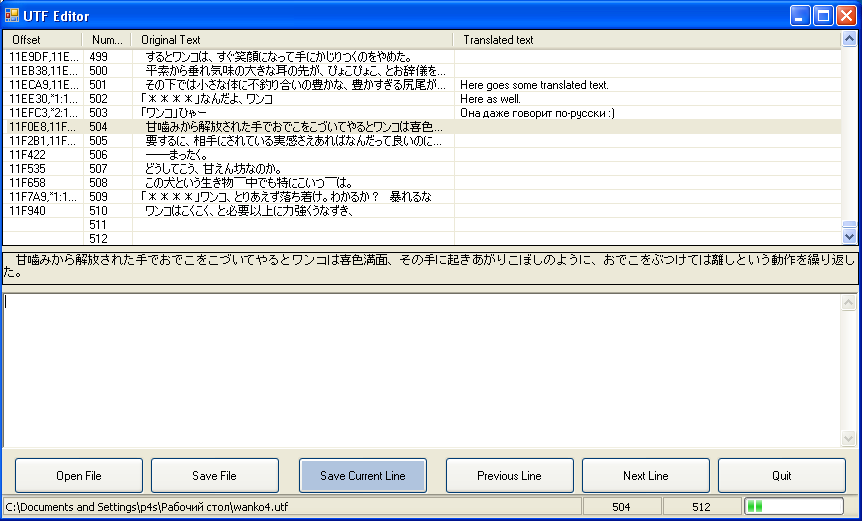
Sakuraume has made a very helpful program to translate files (.utf and .sjs), produced by the tools hosted on this page.
The editor doesn't need to be installed but you'll need .NET framework to use it. And by the way, this tool is Unicode so it displays any language correctly.
Unlike my own tools this program is written in C#. Full sources included, as usual :) Sakuraume's mail is xupefei .at. foxmail .dot. com.
There are two versions in the archive, if one of them doesn't work for you try the other one.
Some of the editor's features:
- edits utf and sjs scripts.
- creates a backup when saving (bak).
- shows info about the script (opened file path/current line/total lines/progress bar) at the bottom.
-
have keyboard shortcuts:
- Ctrl+Up/Down – go to next/previous line,
- Ctrl+Enter – save current line and move on to the next.
- newer version automatically copies the selected line to the clipboard.
- newer version has autosaving.
Download with sources in C#
Thanks Sakuraume and the unknown author for their contribution to the community!
The Touhou Project
Here is an English wiki dedicated to this series.Touhou OST Builder
This tool will help you to extract OST from the following (official) Touhou games:- Touhou 7 – Perfect Cherry Blossom
- Touhou 9.5 – Shoot the Bullet
- Touhou 10 – Mountain of Faith
- Touhou 12 – Undefined Fantastic Object
In a nutshell, th*.dat are solid PCM WAVE files with a small file header in the beginning. The magic signature of such files is ZWAV. More technical info about this format can be found in comments in the tool's source code.
To extract the soundtrack do the following:
- Put touost.exe and the appropriate *.fmt file in the installed game's directory.
- Drag and drop that *.fmt file onto touost.exe.
- Wait until it outputs the string “Spliting finished.”, then hit Enter.
Download Touhou OST Builder with sources
PatchCon Resource Extractor and Convertor
PatchCon (or PatchuCon) is an unofficial Tower Defence-like Touhou-inspired game. Its original name is ぱちゅコン! ~ Defend the library!This tool can do the following:
- extract files from the game's td*.dat archives;
- list files inside them;
-
convert one or all CNV files into BMP.
- Note that not all CNV files are images (it's more like a generic format) so not every CNV can be converted into a BMP.
Basically, the interface is optimized to use Windows Explorer's drag and drop – for example, drop a *.dat file to extract it, drop a *.cnv file to convert it, etc.
For example, using this tool, Bitmap Breaker from this page and any GIF animator program you can create some cute animations like these =>

Download UnPatchCon with sources
By the way, PatchCon's protection can be described in just two words: “a XORrific masterpiece” :)
So how to use these tools?
In general, every game has some kind of archive where its media is stored (such as CGs, music and other stuff like scripts). It's alike to archives like RAR and ZIP but usually they're proprietary, not open-source (for you that just means that you can't open them with any known “official” archiver).
Nevertheless, there are unofficial programs which can read or modify these archives (such as CRASS or AnimED).
For our purposes (translating games) we also need to somehow extract texts from those archives but texts are stored in scripts (a script tells a game when to fade in/out the screen, show a choice, even how to display the logo and CG gallery, etc.). Usually those scripts are not plain text so you can't just extract such a file from an archive, open with Notepad, edit and put back. You need some kind of tool that will do that for you – that is, extract texts from a script into some readable text file, which can be edited with any text editor, and put them back when you're done translating.
So, a generic pattern of using the tools hosted here can be described as follows:-
Find the archive file where the game stores its scripts. Usually it's not too big, not more than 5-10 MBs for example. Sometimes it can even be less than one MB.
For example, Sono Hanabira ni Kuchizuke wo 1 has MSD file for this purpose. -
Find an archiver tool. If you're using tools on this page then it's easy – programs are grouped by games and one pack usually includes archiver + text extractor tool.
Again, for Hanabira this program is called msd.exe. -
Next, you need to extract that archive's content. This can be done by dragging that file onto the archiver's icon (or using the command line, like msd.exe MSD).
- it'll create a directory with extracted files and name it "~".
-
Now find a script file (inside the ~ dir) where the new game starts. Usually it's named like <prefix>001, where “prefix” specifies the current route.
After you've found that file you can extract texts from it. For Hanabira the compiler (text extractor) program is called msdcomp.exe. To extract, drag the script file onto the exe or use the command line (msdcomp.exe S001.MSD). This will create a text file, usually with an extension of sjs or utf. - So you've got the texts extracted and you can now translate them. There are editors on the Net, of which I usually use JWPce. It's old but it has very nice features, such as built-in dictionary and other useful stuff. Or, if you know the language enough so you only need a text area and nothing else, you can look at a simple Text files editor here.
-
After you're done translating you need to update the texts in the game itself. For that, you'll need to compile the texts into the script file. It's done (for Hanabira) by using the command line and executing msdcomp.exe S001.MSD -c. The tool should output something like
- it'll create a file with the same name but with "~" appended to its end (S001.MSD~).
- You can see if it has actually updated the file by exporting texts from the file with "~". If they were updated, you'll see them in the newly exported S001.MSD~.sjs.
- Now update the script inside the game archive. Sinilarly, this is done by executing msd.exe MSD ~\S001.MSD. The program should output a line like inserting into @901F.
Delphi ShiftJIS & Unicode kit
This is an obsolete kit which has evolved into the Delphi 7 eXtension library.JISDialogs and TFileStreamJ
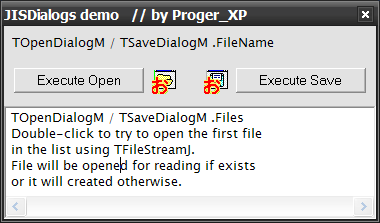
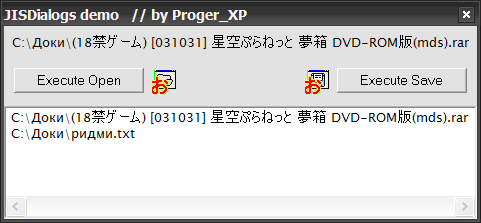
This is a small toolkit for Delphi to work with ShiftJIS files. It includes- TOpenDialog, TSaveDialog – ShiftJIS versions of these components (TOpenDialogJ, TSaveDialogJ). After you install them, two new components will show up in Dialogs tab of Component Palette. They are exactly the same as their parent components but additionally support any kind of file names. Any string that you retrieve from FileName, Files, etc. is in ShiftJIS encoding. To use it you may either convert it to Unicode (using WinAPI MultiByteToWideChar), or, if you're using them to open FileStreams, you can just pass it to the following class.
-
TFileStream – ShiftJIS version (TFileStreamJ). It's the same class but with two overloaded constructors:
- Create(FileName: String; Mode: Word) – accepts String in ShiftJIS encoding (see dialog components above) and opens a file as the usual TFileStream.Create does.
- Create(FileName: WideString; Mode: Word) – accepts Unicode string and opens a file.
- there is another helper method to make your life a bit easier: JIS2Wide(S: PAnsiChar): PWideChar – it converts a ShiftJIS string to Unicode. You can use it to convert strings from TOpen/SaveDialog, for example.
Unicode Dialogs
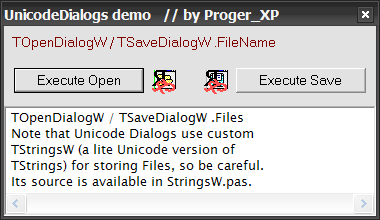
TOpenDialogW and TSaveDialogW are evolved versions of TOpen/SaveDialogJ. They operate on Unicode (WideStrings) only, with no internal reconversion between ShiftJIS <-> ANSI.However, they have a limitation: probably incomplete support of “old style” components view (this is set, for example, by ofOldStyleDialog). If you need this, or other missing feature (although there shouldn't be any), use the J versions – they behave absolutely like their standard VCL counterparts. The W versions are actually different comopnents – their parent is TCommonDialog, not TOpenDialog as it is for J versions.
TStringsW
A useful thing to mention is probably the fact that this dialogs use the lightweight Unicode version of TStrings to hold the file list for multiselection dialogs (guess how's it named?) – TStringsW.Its usage is almost the same as that of TStrings but for those of you who're interested in details, they're as follows:
- Create – the usual create method that resets the list (makes it empty).
- Count – the list's size.
- Add(S: WideString) – adds a new Unicode string to the list.
-
Strings[Index] or just TStringsW [Index] – gets a string with the specified Index. Note that TStringsW can only hold up to
65`536 entries (I haven't seen people who select more than that amount of files :)). - Delete(Index: Word) – deletes a string at Index.
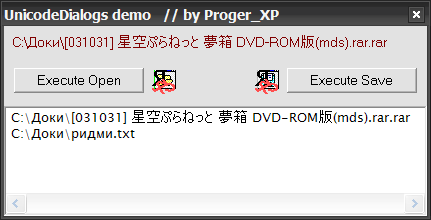
Here are some demo screensiots (they also demonstrate TLabelW, which is described below).
JReconvertor
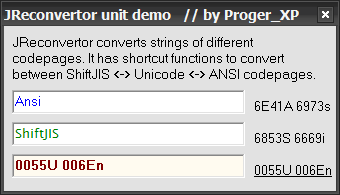
This is a small unit which provides helper functions to convert betweeen various codepages. It has shortcut functions for converting ShiftJIS <-> Unicode <-> ANSI, although they all use the two universal functions that can be used to convert any codepage to Unicode and backwards.It has several defined constants:
- CP_ANSI – ANSI codepage.
- CP_OEM – OEM codepage.
- CP_SHIFTJIS – ShiftJIS codepage.
- Ansi2Wide, JIS2Wide – to-Unicode convertors.
- Wide2Ansi, Wide2JIS – from-Unicode convertors.
- Ansi2JIS, JIS2Ansi – convertors that use an intermediate Unicode string.
- ToWide – converts any custom encoding to Unicode. BufSize specifies size of the buffer to be allocated; -1 calculates it automatically.
- FromWide – converts any custom encoding from Unicode. BufSize has the same meaning as in ToWide.
- WideSizeInBytes – returns a size in bytes of a Unicode string (including two terminating null-characters).
- GetMinimumBufSize – calculates the minimal buffer size in bytes that should be allocated for the given string before converting to another charset.
Unicode VCL components
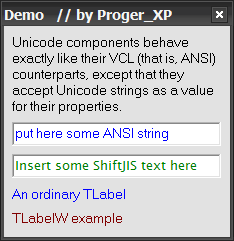
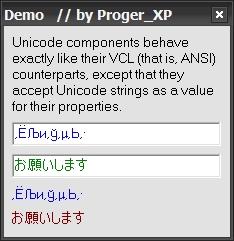
These components are versions of VCL screen components but unlike them they accept and display text as Unicode strings. This makes it possible to display Unicode text in programs built with Delphi 7.This archive currently includes only TLabelW. Several other components (perhaps TEdit, TMemo, TListBox) are planned to be created in the future.
How to install VCL components
To install components in Delphi 7 just choose Component ➯ Install, then select a unit file with components (like JISDialogs.pas) in Unit Filename and click OK. It should then show you a confirmation message saying that, for example, “JISDialogs.TOpenDialogJ and JISDialogs.TSaveDialogJ were installed”.All components from this archive appear on the JISKit tab.
Download JISKit